

26 Nov Sony HVR-V1U Repair
Sony HVR-V1U Repair
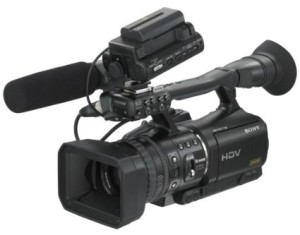
Sony HVR-V1U Service
Sony HVR-V1U Repair
Click Here To Request For Free Repair Estimate
Problems you might be experiencing with Sony HVR-V1U
- Tape Transport or tape mechanism
- Lens problem
- Video head problem
- Power problem
- Recording problem
-
There are many different problems you may be experiencing with your Sony HVR-V1U camcorder. Here is a list of common problems we see with Sony video cameras. Please call us so we can discuss the exact problem you are having with your Sony HVR-V1U camcorder. We would be happy to talk with you and see if we can give you more information on what repairs are necessary
-
- Camcorder will not accept tape will go into error “eject cassette”, “reinsert cassette” or “eject the tape”.
- There is a stuck tape in the camcorder.
- There is a problem with the camcorder not zooming in or out. The video camera will not zoom at all. The camcorder will zoom in and out on its own without touching the zoom control. The zoom control or zoom rocker is bad or not working.
- The audio will dropout or the picture will break up while playing a tape back on the video camera. This is sometimes referred to as pixilation. There are picture problems along the left or right side of the screen.
- There is a problem with camcorder eating the tape or damaging the tape.
- Camcorder will not power up with the battery or the AC power. Camcorder is dead. Camcorder is only dead in camera mode or playback mode. The power switch is flaky or faulty.
- There is a problem with the video camera when you hook it up to the computer. The computer will not communicate with the video camera via the firewire port connector or DV jack Connector.
- Camcorder will not display a picture in playback mode. This could be caused by dirty video heads. Error code C:22:00 might appear.
- There is a problem with the picture when the camcorder is in camera mode. Such as distortion, color problems, picture is not sharp, or no picture at all.
- There is a problem with the CCD Imager, prism or CMOS sensor.
- The time code on the video camera drops out while recording and playing back.
- The camcorder will display a condensation error or dew error. This problem will sometimes occur even if the camcorder was not subjected to moisture. Error code C:21:00 might appear.
- Camcorder does not display a picture on the LCD screen but does in the viewfinder. Video camera displays a picture in the viewfinder but not the LCD screen.
- There is a problem with the LCD screen. The LCD screen menu does not work. The LCD screen only works when you flip it over and lay it against the body.
- There is a problem with the video camera mic or microphone not working. It is loose or falling off
- Camcorder has experienced water or moisture. This will sometimes cause camcorder to go into a dew error or condensation error but not always.
- The video camera lens in not working. It does not focus correctly, has soft focus or problems with back focus.
- There is spotting in the camcorder lens, such as dust, debris, mold, fungus, or water spots.
- Video camera is displaying a lens or focus error code such as E:61:00 E:61:10 E:61:11 E:61:30 E:62:00 E:62:01 E:62:02 E:62:03 E:62:10 E:61:30 E 62:11 E 62:12 E:62:20 C:32:60
- Video camera is displaying a tape transport or mechanical error code such as C:31:00 C32:10 C:31:11 C:32:11 C:31:20 C:32:20 C:31:21 C:32:21 C:31:22 C:32:22 C:31:23 C:32:23 C:31:30 C:32:30 C:31:40 C:32:40 C:31:42 C:32:42
-
We repair all brands and models of Sony camcorders and cameras
Our certified and experienced Sony repair technicians are always happy to assist you with any question you have regarding your camera or camcorder
Our online estimate is quick and accurate. Don’t hesitate to give us a try and request for a free online estimate
Our Camcorder and camera repairs always come with general service cleaning (inside and body ) as well as re-calibrating and re-aligning to factory settings and free return shipping
We use brand new, original parts
VideoCamRepair always offers up to 6 months warranty on parts and labor
Sorry, the comment form is closed at this time.